Black Circle

Call us 800-488-4110 (Toll Free)

Find out why so many companies across the globe rely on CivilGEO

Trusted by 2,500+ companies worldwide to

accelerate engineering projects

Trusted by 2,500+ companies worldwide to accelerate engineering projects

Completed a 4,000-acre stormwater study in nearly 80% less time.

“By simplifying complex modeling workflows, GeoSTORM enables faster turnaround times and dependable outcomes for our clients.”

Tyson Roper
Project Engineer
Jones & Associates Consulting Engineers
Ogden, Utah

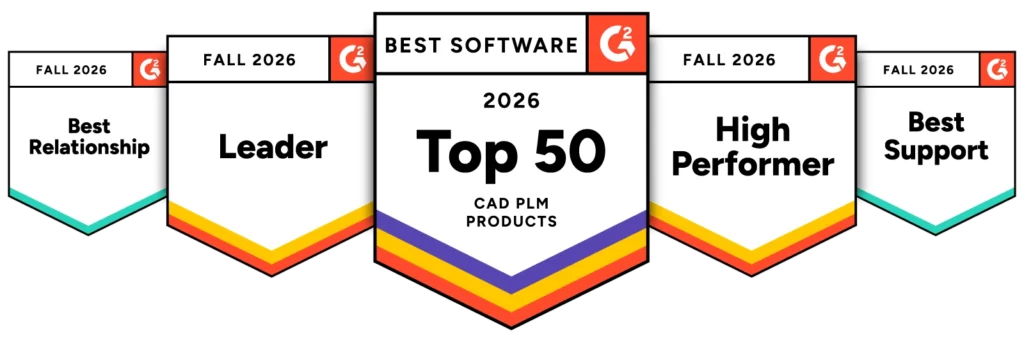
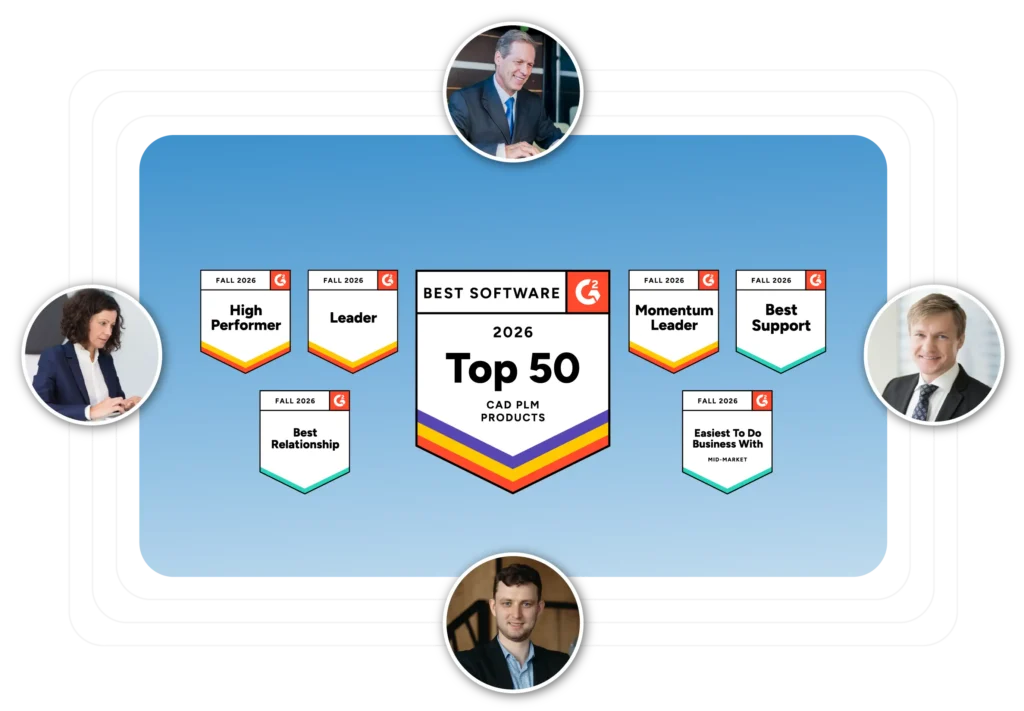
Recognized by G2 Across Multiple Categories

  • Ranked #1 in the Top 20 Civil Engineering Design Software category
  • Listed among the Top 50 CAD PLM products
  • Earned multiple G2 recognitions for leadership, performance, and momentum
  • Highly rated for support quality, customer relationships, and ease of use

“Intuitive Software with Strong Library and Support”

The best thing about GeoSTORM is the library, i.e. inlets, underground detention chambers etc. The software is intuitive to use, and really easy to get going. People who does drainage analysis on a regular basis would find this software very helpful. Also, their support team is really good, and their response time is fast.

Istiaque Mahmud
Civil Engineer
Development Consultants, Inc.
Little Rock, AR, USA

“GeoSTORM Great for Hydrologic Analysis”

The automatic DEM downloading as well as automatic watershed delineation allow the user to quickly gain an understanding of the surrounding subbasins for their project. Testing different water paths is user-friendly as well and makes obtaining an accurate time of concentration simple. Customer support is also always willing to help if anything isn’t working properly.

Ben Young
Project Designer
Stiffler Mcgraw
Hollidaysburg, PA, USA

“Large Learning Curve but Worth the Time”  

Like most reviewers indicated, there is a learning curve to GeoSTORM. However, there is an ease-of-use right out of the gate. It is well worth the time spent and CivilGEO’s technical Support is very responsive and willing to help. We have implemented Geostorm on 3 projects so far for land entitlement and the ability to easily change terrains or CAD files while projects are evolving. This allows us to insert Hydraulics and Water Quality earlier on in the conversations and more efficiently allocate areas for stormwater treatment and storage. The software was easily integrated into our projects and implementation throughout the company was fairly simple.

Myron Fikse, P.E.
Owner
The M. Fikse Company
Temecula, CA, USA

“GeoSTORM Simplifies Drainage Analysis”  

I am still very new to using GeoSTORM so I can’t really speak on the programs ups and downs, but I found the videos offered by CivilGEO very helpful in overcoming the initial learning curve. They provide a comprehensive guide that helps familiarize me with the software quickly. Additionally, I am impressed with the exceptional customer service provided by CivilGEO. The company genuinely strives to ensure that GeoSTORM meets the users’ needs by periodically checking in and swiftly resolving any issues that arise. These support efforts make a significant positive difference in my experience, especially as I am still getting accustomed to the program.

Andrew Ingle
Graduate Engineer
J Shehan Engineering, P.C.
Canyon, TX, USA

“User Friendly and Faster Model Creation”

GeoHECRAS is user friendly and allows the user to create a model much faster than similar software. The program is very helpful at incorporating survey data, and processing cross sections. It interacts well with CAD files and allows for the analysis of several scenarios. You can automatically import FEMA flood data into your model, and as many CAD files as needed.

Mirta Laos, P.E.
Project Engineer
Inwood Consulting Engineers, Inc.
Oviedo, FL, USA

“Integrates Various File Types in One Interface”  

GeoHECRAS integrates various file types such as DWG, DNG, SHP, tiffs, etc. into one user interface and adjust for varying geospatial projections to improve efficiency in developing HEC-RAS Models.
Jeffrey B. Shaver P.E., CFM, CPESC
Senior Project Manager
Civil & Environmental Consultants, Inc.
Franklin, TN, USA

“What we always hoped HEC-RAS would be”  

GeoHEC-RAS does a great job integrating GIS, CAD, and RAS into one easy to navigate platform. It substantially reduces the time and effort required to build a model from scratch or to add detail to an existing model. Everything exports back into a normal Hec-RAS file once you’re done which makes it convenient for putting together your final review package.

Jordan Thole, P.E., CFM
Water Resources Engineer
Bolton & Menk
Maplewood, MN, USA

“More User Friendly Than Classic HEC-RAS”

It’s great that the program offers a graphical interface to model compared to the white boxes of HECRAS. In addition, CivilGEO has created a great program that is substantially more user friendly than the classic HECRAS. CivilGEO also offers great technical support when there is a program question or error. Almost every person who has helped me really knows the program and does a fantastic job. If you have any questions, CivilGEO is there to help!

Matt Campbell
Bridge Design Engineer
Crafton Tull
Rogers, AR, USA

“Increased Productivity and Efficiency Tenfold”

The ease of workflow and intuitive data input has increased my productivity and efficiency tenfold. I live in work in a very rural state with low population. Consequently, the majority of our state does not have detailed FEMA flood insurance studies. GeoHECRAS lets me produce a reasonable flood model for septic permitting at an affordable price for my clients.

Olaf Ervin, PLS, CFM
Professional Land Surveyor
O.C. Ervin Land Surveying, Inc.
Columbia Falls, Montana, USA

“Comprehensive hydralics tool makes hydraulic analysis simple.” 

Every time I use GeoHECRAS I learn something or find another tool that saves me time in my hydraulic analyses. I’ve found that not only does this software reduce our time analyzing hydraulics, but it also makes it easier to teach young engineers how to model hydraulics because it’s more, dare I say, fun. The visuals and easy-to-navigate command ribbons make it easy to find what we need to model. GeoHECRAS includes many features

Dan C.
Bridge Design Engineer
USI Consultants, Inc.
Indianapolis, Indiana, USA

“Great Tool for Floodplain Management”   

GeoHECRAS is a great tool for floodplain management. The software is very user-friendly and offers numerous extra/additional functions and features. Technical and customer support is top notch when/if needed, with fast, professional, accurate responses and screen sharing to help. The software is import/export compatible with multiple versions of HEC-RAS, CAD, and GIS software. It can import aerial base maps on several different coordinate system options, which simplifies parameter inputs. GeoHECRAS saves a lot of time, which of course means it saves a lot of money.

Brian Bucholtz, P.E., CFM
Project Engineer and Floodplain Manager
Lyon Engineering & Surveying
Prescott, AZ, USA

“GeoHECRAS is the best!”

I like the ease of use and fast productivity. I can set up a model from scratch and determine flood elevations in 4 hours. That requires selecting the orthophoto and importing a CAD file to use as a background, importing contours (or LIDAR), turning them into a DTM (which it does very fast), drawing the reach centerline, cutting cross sections, inserting a crossing (if needed), turning on FEMA flood data (FIRM info), determine base flows using USGS Stream Stats inside the software (faster than using a web browser), and I have base flood elevations and floodplain mapping in 4 hours!

Mark Lee, P.E.
Senior Engineer
SEC, Inc.
Murfreesboro, TN, USA

“Extremely Simple to Use with Great Support”

Extremely user friendly and simple to use. End results are on point and easy to make sense of in a great formats. The support team are ever ready to help and assist at all times. GeoHECRAS is a game-changer. If the type of work being undertaken can be completed on GeoHECRAS, it is definitely the software to use. Easy and simple to use, with loads of help and support should you get stuck or need some guidance.

Deveshan Govender
Civil Engineering Technician
BMK Consulting Engineers
Umhlanga, Durban, South Africa

“Very Efficient Software for 1D/2D Hydraulic Models”

GeoHECRAS provides the features of HEC-RAS, RAS, HEC-GeoRAS, ArcGIS including the Analysis Add-ons, and AutoCAD in one software package, where you can actually see your model as you develop it, add or remove sections, edit bridges and structures, and plot the floodlines. The model includes all the features of these programs that you require for a complete model in one package.

Leonardo Sanchez, P.Eng.
President
Sanchez Engineering Inc.
Cobourg, ON, Canada

“Best Automation for Hydrologic Modeling”

The automation of GeoHECHMS is the best I’ve seen for hydrologic modeling software. Surfaces and aerials can be directly imported. Connection to national databases makes land use, Curve Numbers, rainfall intensity almost instant. Drainage areas, paths and curve numbers are automatically delineated for existing conditions.

Michael Moore
Sr. Hydrologist
Bannister Engineering, LLC
Mansfield, TX, USA

“Intuitive, Fast, and Easy for Hydrological Studies”

The most helpful is the staffing as well as the detailed error codes when running the software allows for efficient tried and error/ solving issues when they arise. I also appreciate that there are multiple ways to get the same function whether its the ribbon or right clicks.

Ryan Olson
Water Resources Engineer
Civil & Environmental Consultants, Inc.
Blue Ash, OH, USA

“Simplifies Stormwater Modeling and Increases Productivity”

I find the automated subbasin delineation, reaches, land use, curve number, and time of concentration very helpful. And the automatic report builder with the hydrograph plots makes it easy to see a graphical comparison of pre vs. post development. Further, CivilGEO customer support is excellent, they have an option to remote in and complete any task that you ask. I’m very impressed with their customer support.

Kevin Masters
Project Manager
Crafton Tull
Yukon, OK, USA

“Helpful Overlays with Responsive Customer Service”   

The ability to use various overlays (impervious surface, soils, DEM data, etc.) is extremely helpful as this is available within the software without hunting around the internet or digging though company server files for the correct overlay. The customer service is helpful, as they can push updates quickly to resolve issues.

Brian C. Bonner, P.E.
Director of Engineering
ARM Group, Inc.
State College, PA, USA