
Call us 800-488-4110 (Toll Free)


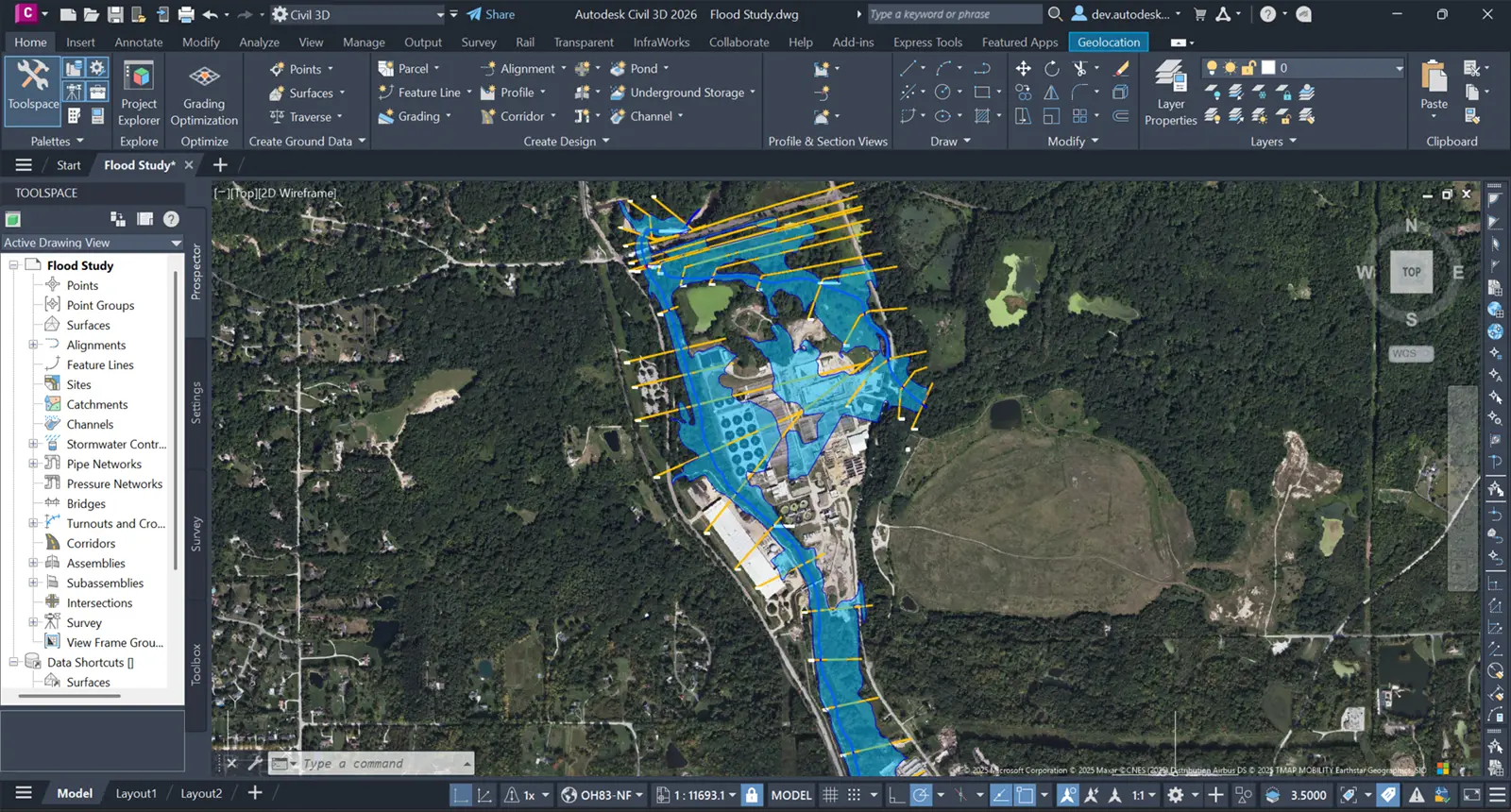
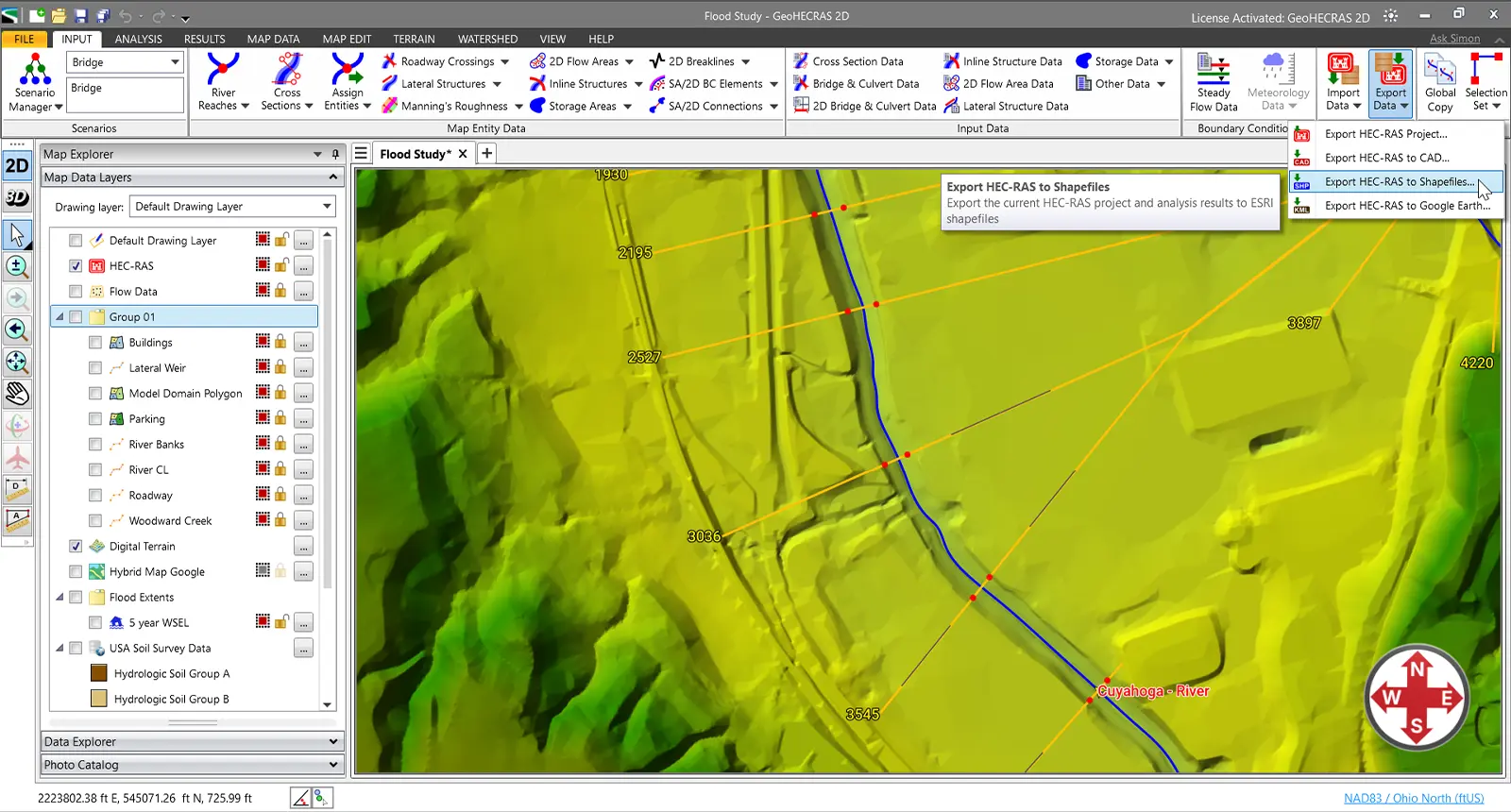


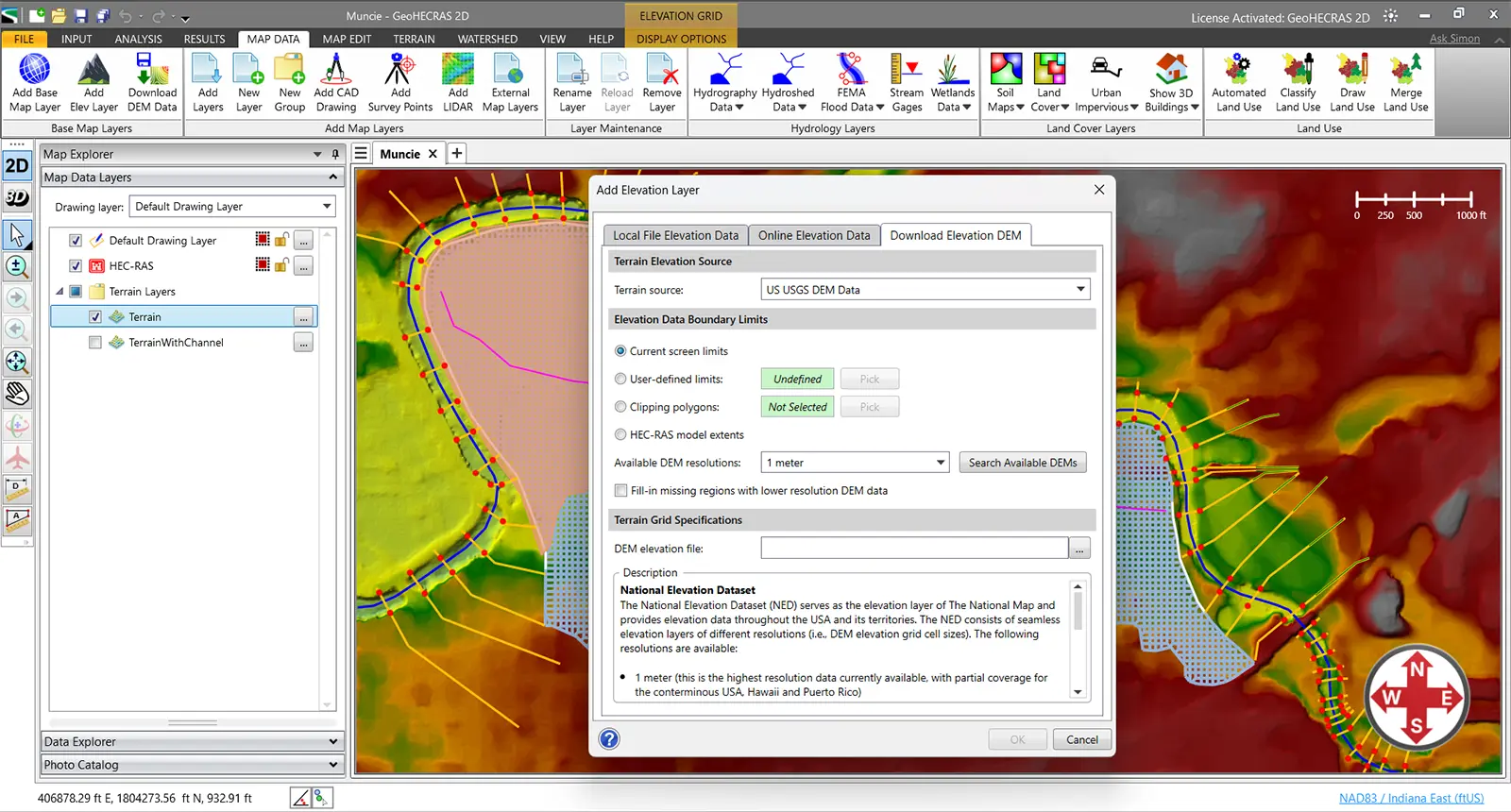

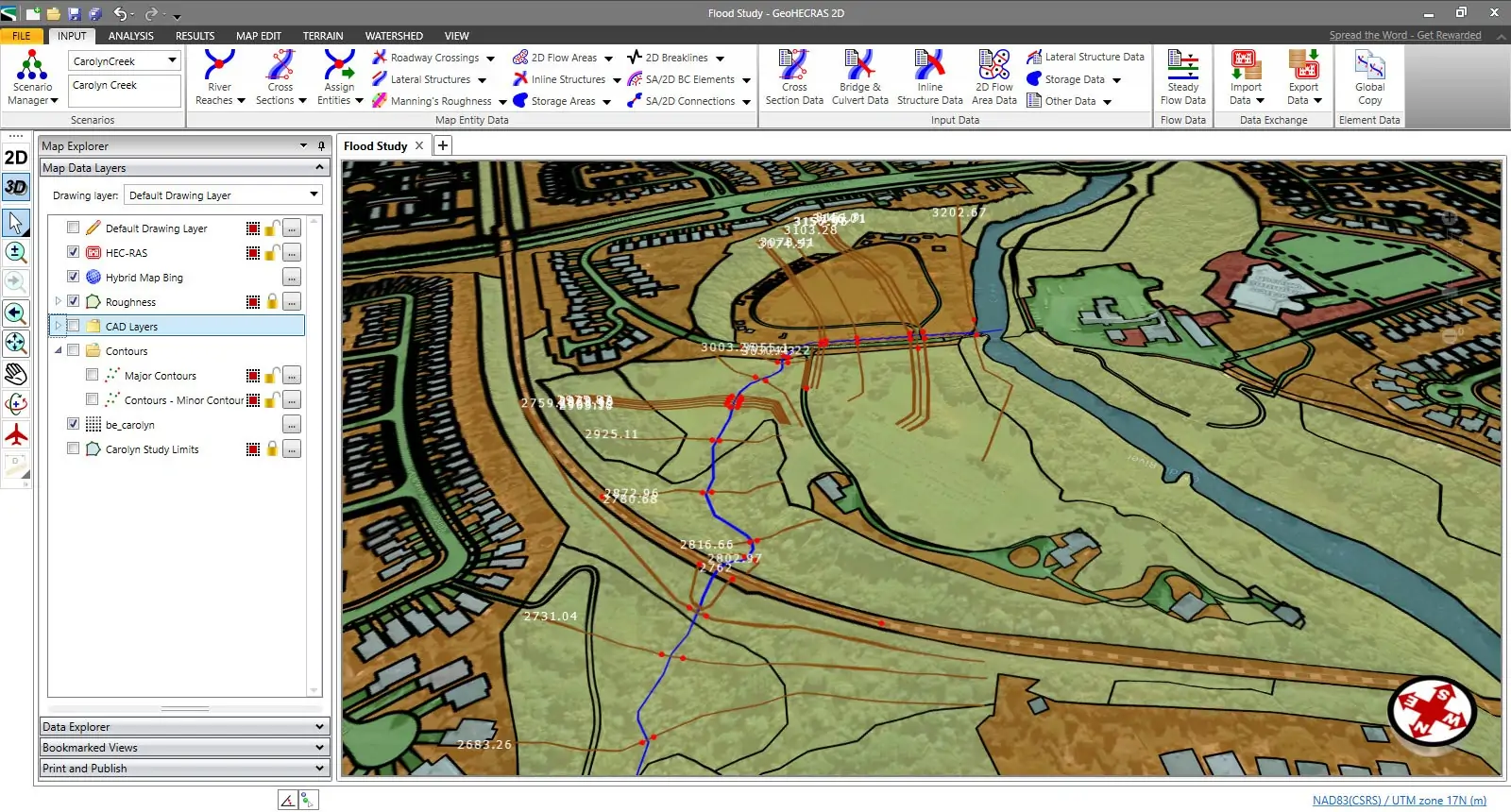














GeoHECRAS significantly speeds up creation and review of HEC-RAS models, producing better and more accurate results. Compute water surface profiles for steady and unsteady flow models, bridge and culvert roadway crossings (including scour), FEMA floodplain encroachments, stream restorations, dam failures, and much more. The software can perform 1D, 2D, and hybrid 1D-2D HEC-RAS modeling for a variety of conditions. GeoHECRAS runs HEC-RAS in an AutoCAD compatible user interface.
GeoHECRAS Overview (video 03:17 minutes)
Powerful workflow automation tools accelerate model development, enabling you to build complex HEC-RAS models in a fraction of the time. Maintain accuracy and consistency across projects while eliminating repetitive setup tasks.
Streamline your design process by leveraging existing Civil 3D drawings in GeoHECRAS. Work seamlessly between civil design and hydraulic modeling, reducing setup time by hours and ensuring your HEC-RAS analysis always reflects the latest design iterations.
Work seamlessly within your preferred platform—AutoCAD, Civil 3D, MicroStation, or ArcGIS. GeoHECRAS integrates directly with CAD and GIS data, then exports completed models and results back to your design environment—eliminating data silos and maintaining unified project workflows.
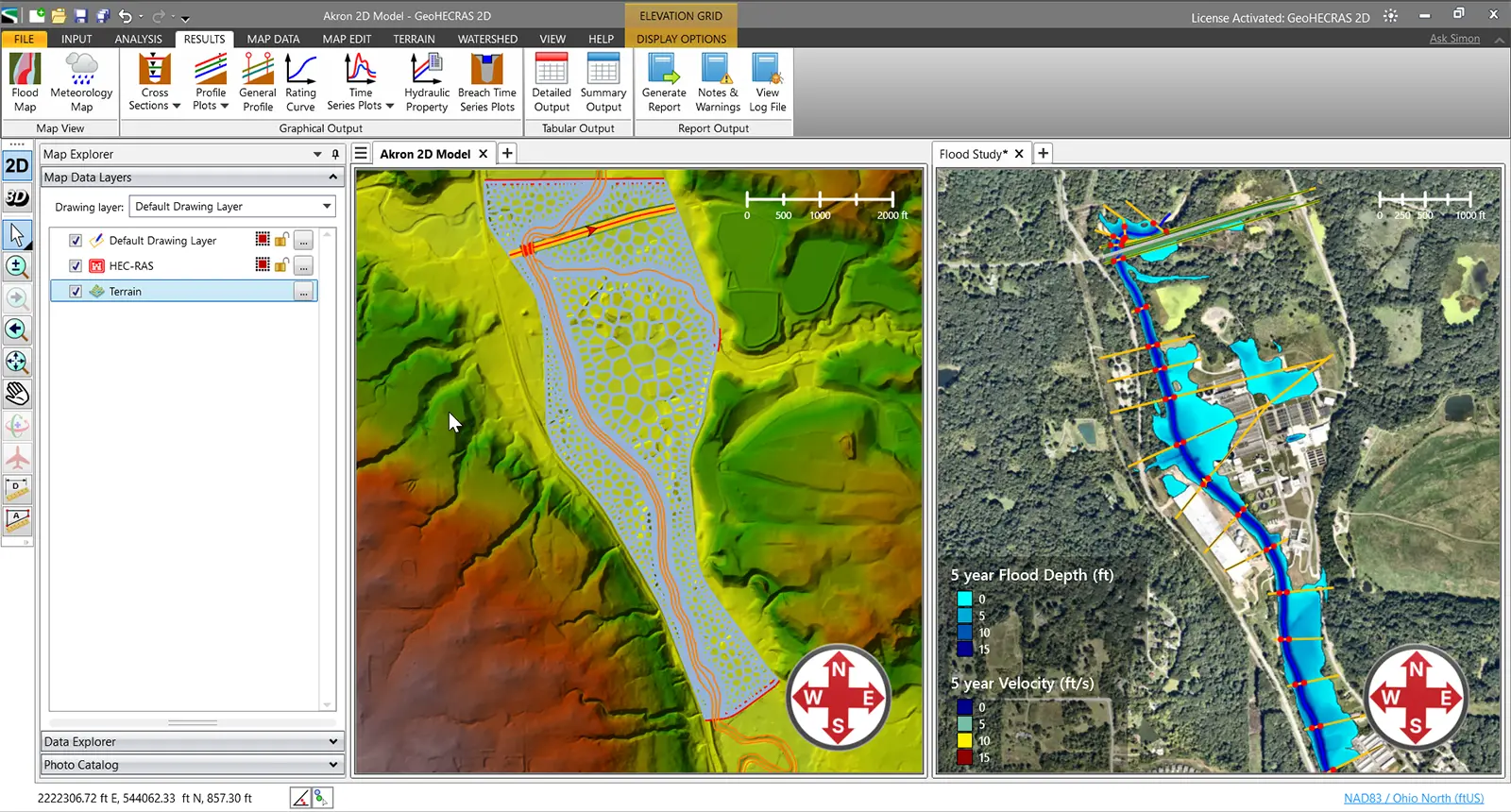
View your HEC-RAS model in both 2D plan view and immersive 3D to gain complete project understanding. Switch seamlessly between 2D plan view for precise design work and 3D visualization for verifying elevations, identifying conflicts, and communicating designs to stakeholders.
It’s really difficult to decide which is my most favorite function of GeoHECRAS. Just setting up the model is so easy and…
It was probably the most complex problem we’ve ever worked with; I don’t know how we could have done it without GeoHECRAS…
So we’re able to run a model, get results back, if it doesn’t meet the criteria, we’re able to quickly make…
Automatically extract cross sections from diverse surface and 3D elevation data sources with intelligent placement along river reaches. GeoHECRAS analyzes channel geometry and hydraulic characteristics to position cross sections optimally—ensuring accurate model results while eliminating tedious manual digitizing and guesswork.
GeoHECRAS simplifies hydraulic modeling with an intuitive, easy-to-learn interface that automates time-consuming workflows. Build your HEC-RAS models faster through intelligent automation that handles geometry creation, data extraction, and model setup—letting you focus on engineering decisions, not tedious manual tasks.
Automate floodplain encroachment analysis with streamlined workflows for both 1D and 2D HEC-RAS models. GeoHECRAS intelligently generates encroachment scenarios, performs hydraulic computations, and produces accurate floodplain and floodway maps—transforming hours of manual work into minutes of automated efficiency.
Generate rectangular, adaptive, or conceptual 2D meshes precisely tailored to your project requirements. With more meshing scheme options available than in standard HEC-RAS, gain the flexibility to optimize both computational accuracy and performance for any hydraulic model.
Start modeling immediately with built-in high-resolution 1-meter elevation data covering the USA, Canada, Europe, and more. GeoHECRAS eliminates costly elevation data purchases and time-consuming imports—providing accurate, survey-grade terrain information ready to use the moment you launch your project.
Access comprehensive land use coverage for the USA, Canada, Europe, Australia, and beyond—built right in. Instantly compute composite Manning’s roughness values, infiltration rates, runoff coefficients, and imperviousness without purchasing external datasets. Start modeling immediately with authoritative global data at your fingertips.
Automate critical HEC-RAS model parameters with intelligent workflows that define bank stations, flow lengths, ineffective flow areas, conveyance obstructions, levees, and more. GeoHECRAS applies engineering logic to handle complex modeling considerations automatically—delivering accurate, comprehensive models in a fraction of traditional setup time.
Access comprehensive cloud-based mapping services and authoritative data directly within GeoHECRAS—including high-resolution LiDAR elevation data, FEMA flood maps, watershed delineation, soil classifications, land use datasets, and more. Eliminate time-consuming data collection and start modeling immediately with everything integrated.
Automatically retrieve precipitation depths and storm distributions for 1 to 500-year events across the USA, Canada, and many European countries. GeoHECRAS queries authoritative databases by project location—eliminating manual atlas lookups and ensuring regional code compliance for accurate, defensible flood analysis.
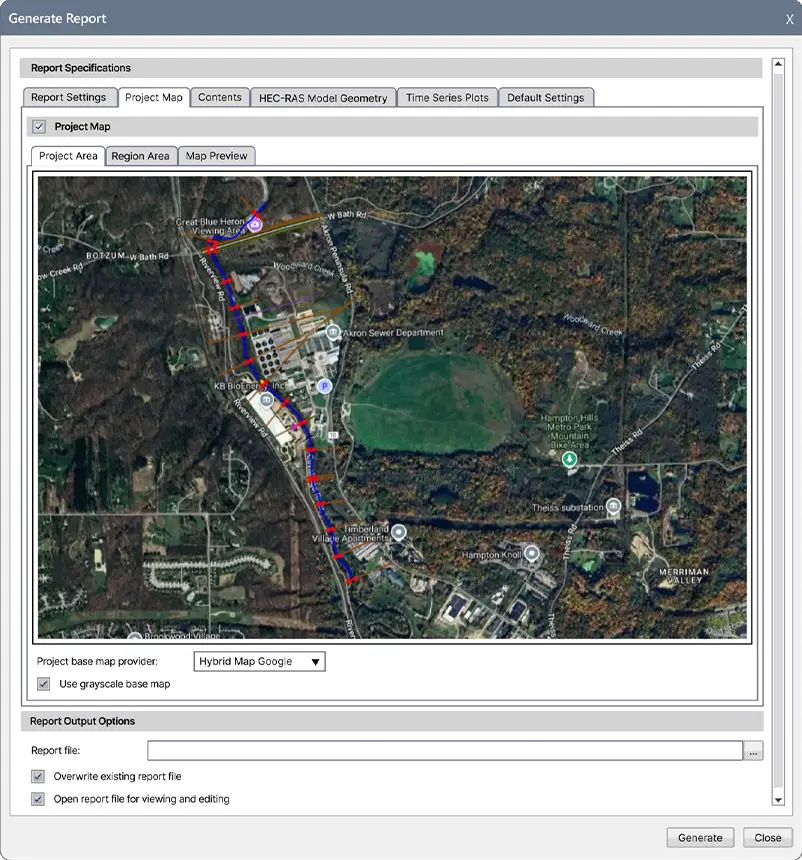
Generate polished, agency-ready reports directly from your hydraulic models. GeoHECRAS automatically creates comprehensive project documentation in Microsoft Word and Excel—complete with cross-sections, profiles, flood maps, and results tables—formatted to your specifications.
Tailor reports to meet any agency’s standard or client requirement. Customize layouts, add company branding, include specific data tables, and control what information appears. Save templates for consistent deliverables across all your projects.
Stop copying and pasting results from HEC-RAS into documents. GeoHECRAS automatically populates your reports with current model data, graphs, and images. When your model changes, regenerate updated reports in seconds—not hours.
Take direct control of mesh generation. Draw custom mesh patches exactly where you need refinement—around structures, along channels, through complex terrain—and GeoHECRAS honors your design during automatic mesh generation. No more trial-and-error adjusting meshing nodes to achieve local mesh refinement.
Accurately model zones where water is present but doesn’t contribute to flow conveyance. GeoHECRAS lets you define 2D ineffective flow areas—regions like building alcoves, bridge recesses, or dead zones behind abutments—where water accumulates without actively conveying discharge.
Model flow barriers and impediments in your 2D mesh with precision to represent buildings, walls, berms, or any structure that blocks or redirects flow. Quickly test configurations and see exactly how obstructions impact your hydraulic results.
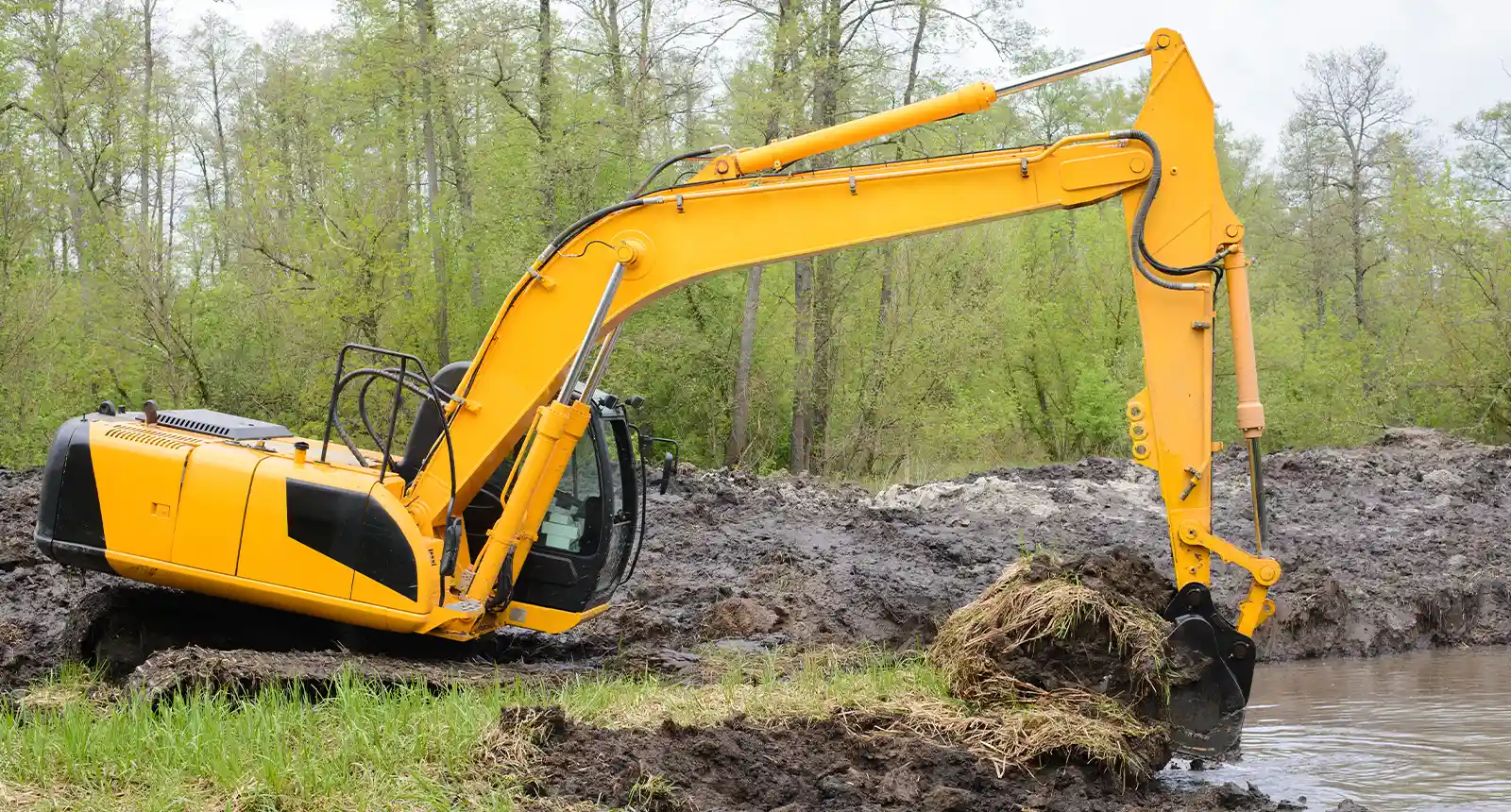
Model flow training structures for river restoration projects. Design and analyze dikes, bendway weirs, and other structural measures that maintain the channel within the floodway and prevent channel migration during flood events.
Analyze multiple floodplain encroachment scenarios in minutes instead of hours. Automatically place and evaluate fills, levees, roads, or development impacts along your river reach for both steady and unsteady 2D flow simulations.
Model complex hydraulics more accurately with adaptive mesh generation. GeoHECRAS creates unstructured meshes that conform to irregular boundaries and refine automatically around structures, delivering better accuracy in areas with complicated flow patterns.
Automatically fix bad mesh elements in seconds—no manual cleanup required. HEC-RAS often generates 2D meshes with elements flagged as “bad” that can require hours of tedious manual corrections. GeoHECRAS fixes these automatically, letting you move straight to running your model.
Edit your 2D mesh with confidence—all modifications are permanently preserved. Insert elements, reposition nodes, refine problem areas, or adjust breaklines, and your edits stay intact even when you regenerate or update the mesh, eliminating hours of repetitive rework.
Automatically assign Manning’s roughness values to cross sections and 2D flow areas using detailed land use data. Global coverage includes the USA, Canada, Europe, Australia, and other regions—delivered instantly via cloud services.
Create dynamic flood map animations in Google Earth to communicate flood risks clearly and effectively. Export your HEC-RAS results directly to Google Earth format, showing how floodwaters rise and spread over time across real-world terrain.
Work on multiple projects without switching applications. GeoHECRAS lets you load, edit, and run multiple HEC-RAS models simultaneously—compare alternatives side-by-side, manage different project phases, or keep client work organized. Boost productivity with true multi-model and multi-project capability that standard HEC-RAS lacks.
Import point clouds, cross-sections, breaklines, and topographic data in the formats your field crews already use. CSV, shapefile, LAS, LandXML, or ASCII—GeoHECRAS handles the technical details so you can focus on building better models.
GeoHECRAS provides complete support for HEC-RAS and is FEMA-approved for National Flood Insurance Program (NFIP) stormwater and flood studies, ensuring regulatory compliance and acceptance by federal agencies, municipalities, and reviewing authorities nationwide.
Easily correct mistakes and explore design alternatives with full unlimited Undo and Redo capability. Make changes confidently knowing you can instantly reverse any edit, from simple cross section adjustments to complex floodplain encroachments.
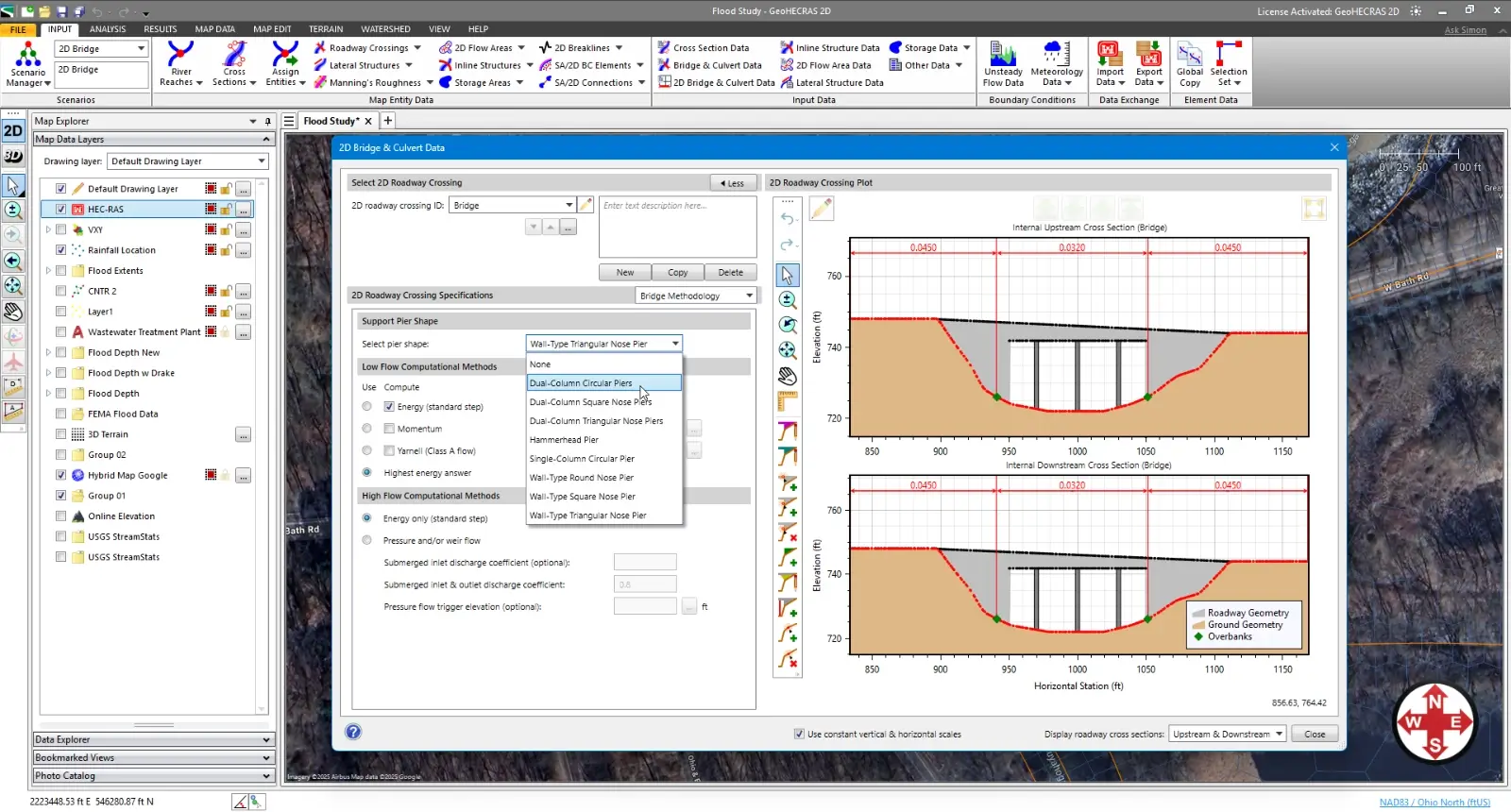
Compare multiple scenarios side-by-side, including existing versus proposed conditions and design alternatives. Evaluate different bridge designs, culvert roadway crossings, or floodplain encroachments to quickly identify the most cost-effective and compliant solution for your project.
Extend your engineering team with unlimited 24/7 toll-free support from experienced water resource engineers—not just software technicians. Get expert guidance on complex hydraulic engineering problems, modeling challenges, and design questions whenever you need it, at no additional cost.
Leverage AI-powered engineering assistance for real-time support with project review, simulation troubleshooting, and modeling questions. Get instant solutions to technical challenges and guidance based on engineering best practices—helping you work faster and more confidently.
Receive complimentary training tailored to your projects along with expert guidance from water resource engineers who support you from initial setup through project completion. Ensure your team is immediately productive and equipped with best practices for successful, efficient project execution.
Handle larger, more demanding projects efficiently with powerful 64-bit, multi-core, parallel processing capabilities. Process extensive stormwater networks, perform complex hydraulic calculations, and run critical storm analyses significantly faster.
Here’s a quick overview of how our features compare to our competitors.
| Capability | GeoHECRAS | HEC-RAS | OpenFlows FLOOD | Aquaveo SMS | HY-8 | WMS |
|---|---|---|---|---|---|---|
| Automated Floodplain & Floodway Mapping | Limited | |||||
| Automated FEMA Floodplain Modeling | ||||||
| CAD & GIS Integration | Limited | Limited | ||||
| Built-in Cloud-Based Mapping Services | Limited | Limited | Limited | |||
| MDI Multiple Model Editing | ||||||
| Integrated 2D / 3D Viewing & Editing | ||||||
| Built-In Elevation Data Sources | Limited | |||||
| Construct XS from Multiple Data Sources | ||||||
| Integrated Terrain Modeling | Limited | |||||
| Adaptive 2D Meshing & Patching | Limited | |||||
| Automated Bridge Design | ||||||
| Unlimited Undo / Redo | ||||||
| 24×7 Toll Free Technical Support | Limited | |||||
| Free Onboard Training | ||||||
| Free Engineering Project Assistance |
It’s really difficult to decide which is my most favorite function of GeoHECRAS. Just setting up the model is so easy and…
It was probably the most complex problem we’ve ever worked with; I don’t know how we could have done it without GeoHECRAS…
So we’re able to run a model, get results back, if it doesn’t meet the criteria, we’re able to quickly make…
Why doesn’t HEC-RAS do this? was a question Anna Negrete of CEI Engineering Associates, Inc. (formerly at Crafton Tull) would often ask before she started using GeoHECRAS…
Water resource and project engineers at Integrated Engineering PLLC describe the substantial time and cost savings gained with use of GeoHECRAS…
Company engineers at Bolton & Menk praise GeoHECRAS’s ability to combine editing functionality, model manipulation and output in one integrated package…
With GeoHECRAS, Lee Beshoner of FTN Associates explains that he can efficiently create surface files and generate model results quickly, effectively…
The firm of LJA Engineering struggled for years to match up AutoCAD survey information in a surface coordinate system with a GIS coordinate system before switching to GeoHECRAS…
Engineers at Thouvenot, Wade & Moerchen praise GeoHECRAS’s Scenario Manager tool, the ability to quickly set up surface geometries for hydraulic models, and…
Engineers at H.L. Turner Group, Inc. observe that prior to using GeoHECRAS, the time needed to create a geometry file for a model was significant and could…
Brian Bucholtz of Lyon Engineering emphasizes how GeoHECRAS software pulls everything together and allows him to seamlessly input data and…
Water resource engineers at Morrison Maierle discuss their ability to adjust a river model’s geometry very efficiently using GeoHECRAS…
An engineering and land surveying firm that works extensively in floodplain delineation appreciates that GeoHECRAS brings base information together in one…
JE Fuller tackles drainage projects all over the world as well as in the U.S. Chris Rod, engineer for over 40 years, appreciates that GeoHECRAS runs independently…
Denis Rouselle, engineer in charge of hydraulic studies, structural design and floodplain management studies in Nancy, France, confirms that prior to using GeoHECRAS…
Engineer Vanessa Gimenez explains her firms’ difficulty generating pre-processed and post-processed data for the many hydrologic 2D models developed by…
Prior to use of GeoHECRAS, civil engineer Marcus Prantl had difficulty creating accurate surface terrain, as well as delineating river reaches and bridges…
The time it took to enter data, run programs independently of one another, and then edit the output often left little time to review the results of river…
Unlike the traditional USACE HEC-RAS software which Kimley-Horn had used historically, the use of GeoHECRAS’ surface…
With GeoHECRAS, Lee Beshoner of FTN Associates explains that he can efficiently create surface files and generate model results quickly, effectively…
Ever since CEC started using GeoHECRAS, the time spent on model development has been cut by 50%. Now only 25% of…
Company engineers at Bolton & Menk praise GeoHECRAS’s ability to combine editing functionality, model manipulation and output in one integrated package…
JE Fuller tackles drainage projects all over the world as well as in the U.S. Chris Rod, engineer for over 40 years, appreciates that GeoHECRAS runs independently…
The compatibility of GeoHECRAS with GIS and other applications like PCSWMM makes the pre- and post-processing aspects….
Prior to using GeoHECRAS, KPA engineers would have to switch back and forth between various CAD and GIS programs and the U.S. Army Corps of Engineers (USACE)…
The use of GeoHECRAS for floodplain delineation has resulted in significant time and cost savings as well. Skupien notes that….
We use cookies to give you the best online experience. By agreeing you accept the use of cookies in accordance with our cookie policy.

When you visit any web site, it may store or retrieve information on your browser, mostly in the form of cookies. Control your personal Cookie Services here.
 English English English
  French
  German
  Italian
  Spanish
  Chinese
  Polish
  Indonesian English English English French
German
Italian
Spanish
Chinese
Polish
Indonesian
Indonesian English English English French
German
Italian
Spanish
Chinese
Polish
Indonesian
See how GeoHECRAS simplifies your river projects. Book a demo