GeoSTORM®
Greatly speed up the process of creating, analyzing, and reviewing stormwater models
- Overview
- Features
- Additional Features
- Comparison
- Client Videos
- Client Testimonials
- Case Studies
- Pricing
Civil 3D Integrated Stormwater Software
GeoSTORM is a Civil 3D integrated stormwater software that accelerates the process of creating, analyzing, and reviewing stormwater models, supporting numerous stormwater hydrology methods. The software is designed to manage stormwater models with varying complexity.
GeoSTORM Overview (video 01:30 minutes)
- Civil 3D Integration & Stormwater Element Catalog
- Automated Engineering Workflows
- Automated Engineering Report Creation
- Automated CN & TOC Calculations
- Automated Catchment Area Delineation
- Interactive Detention Pond Sizing and Designing
- Multiple Hydrology Methods Supported
- Free Training & Engineering Project Assistance
- 24×7 Technical Support
GeoSTORM Accelerates Your Engineering Process:
- Utilize AutoCAD Civil 3D in Your Stormwater Layout
- Extend Civil 3D’s Stormwater Parts Catalog
- Implement Automated Engineering Workflows
- Delineate Catchment Areas Automatically
- Determine Subbasin RC, CN, Green Ampt Values in Minutes
- Compute Time of Concentration Values Automatically
- Utilize State DOT and Major Foundry Storm Drain Catch Basins
- Calculate Storm Sewer Pipe Capacity, HGL, EGL
- Design Detention Ponds and Outlet Structures Interactively
- Generate Stormwater Engineering Reports in Minutes
- Utilize AutoCAD Civil 3D in Your Stormwater Layout
- Extend Civil 3D’s Stormwater Parts Catalog
- Implement Automated Engineering Workflows
- Delineate Catchment Areas Automatically
- Determine Subbasin RC, CN, Green Ampt Values in Minutes
- Compute Time of Concentration Values Automatically
- Utilize State DOT and Major Foundry Storm Drain Catch Basins
- Calculate Storm Sewer Pipe Capacity, HGL, EGL
- Design Detention Ponds and Outlet Structures Interactively
- Generate Stormwater Engineering Reports in Minutes
Advanced Workflows
Automated Engineering Workflows
Powerful workflow automation tools accelerate model development, enabling you to build complex stormwater models in a fraction of the time. Maintain accuracy and consistency across projects while eliminating repetitive setup tasks.
Civil 3D Integration
Streamline your design process by leveraging existing Civil 3D stormwater pipe networks in GeoSTORM. Work seamlessly between civil design and hydraulic modeling, reducing setup time by hours and ensuring your analysis always reflects the latest design iterations.
Automated CN & TOC Calculations
Automatically compute subbasin parameters including curve numbers (CN), time of concentration (TOC), and runoff coefficients. The software analyzes terrain data, land use, and flow paths to generate accurate parameters in seconds—saving hours of manual calculations.
Client Videos
Jones and Associates Consulting Engineers
Previously, using other software, it took me about 48 hours to complete a project. Using GeoSTORM, I was able to complete it in about 10. GeoSTORM is very efficient.
Jones & Associates Consulting Engineers
Previously, using other software, it took me about 48 hours to complete a project. Using GeoSTORM, I was able to complete it in about 10 hours. GeoSTORM is very efficient.
Other Client Videos
Watch video testimonials to hear stories from other clients.
Features
Multiple Hydrology Methods
Support for multiple hydrological methods including Rational Method, Modified Rational Method, SCS TR-20/TR-55, EPA SWMM, CUHP (Colorado Urban Hydrograph Procedure), SBUH (Santa Barbara Urban Hydrograph), and more.
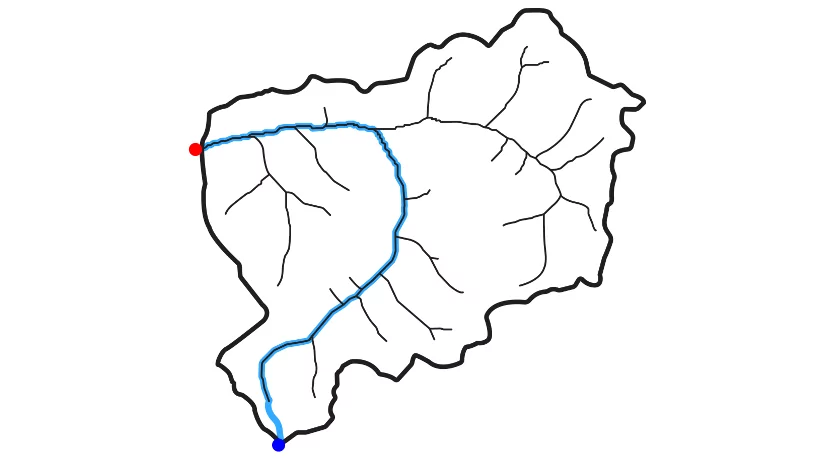
Automated Subbasin Delineation
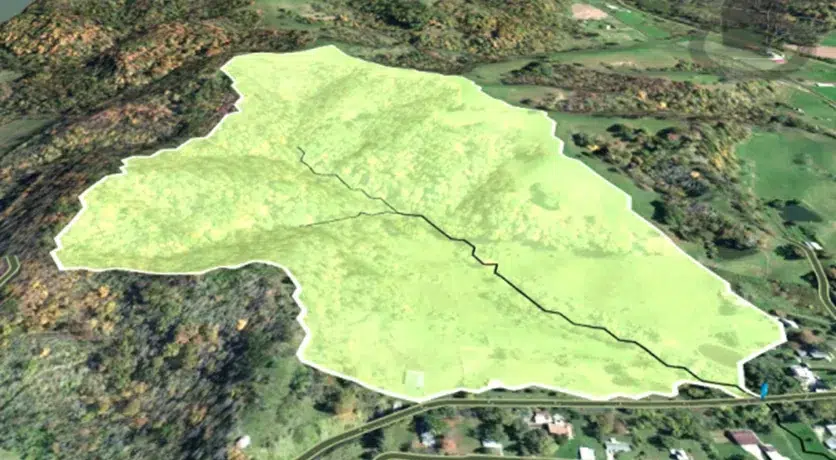
Quickly delineate watersheds, subbasins, and catch basin capture areas from digital terrain data including AutoCAD Civil 3D surfaces, LIDAR, TINs, DEMs, survey data, and more.
Detention Pond Designing
Quickly size and design detention ponds, retention ponds, underground storage chambers, and outlet structures for any design storm or engineering criteria.
Automated Design Storm Assignment
Automatically determine precipitation depths and appropriate storm distributions for any design storm (1 to 500-year) based on your project location, eliminating manual reference to rainfall atlases and ensuring code compliance.
Roadway Catch Basin Design
Optimize catch basin placement with automated analysis that calculates stormwater capture rates and gutter spread. Includes a comprehensive catalog of catch basins from all major US and Canadian foundry manufacturers and state DOTs.
Underground Detention Storage Design
Design and analyze underground detention storage structures interactively. Includes storage chambers from all major manufacturers including ADS, Cultec, and more. Generate AutoCAD construction drawings and engineering reports in minutes.
Automated Sequential Naming
Automatically name hundreds of stormwater elements using custom naming rules—saving time and ensuring consistency across large models.
Digital Terrain Cross Section Cutting
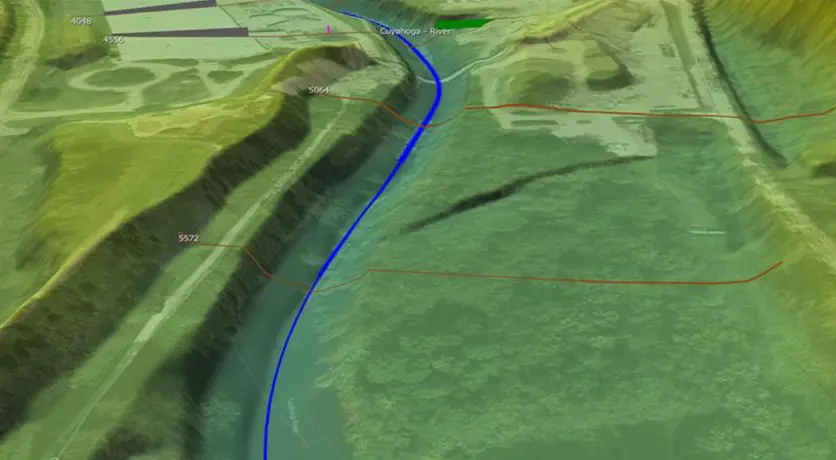
Extract routing reach cross sections from digital terrain data including AutoCAD Civil 3D surfaces, MicroStation surfaces, TINs, DTMs, survey points, and more.

Automated Engineering Reports
Create professional stormwater reports in Microsoft Word and Excel, fully customizable to meet any agency or project requirement.
Cloud-Based Mapping Services
Access geospatial data through built-in cloud services, including LiDAR elevation data, FEMA flood maps, watershed delineation, soil maps, land use, and more.
Share Data with GeoHECRAS
Seamlessly transfer stormwater results from GeoSTORM to GeoHECRAS to accelerate flood studies, bridge design, dam failure analysis, and stream restoration projects.
High-Resolution Elevation Data
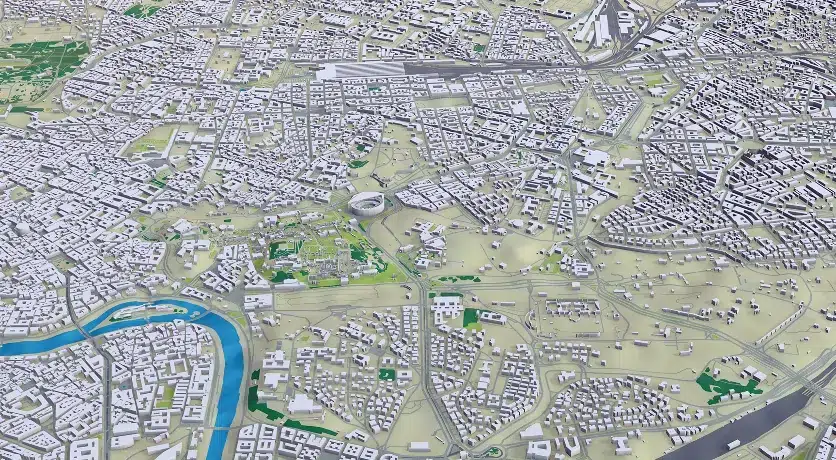
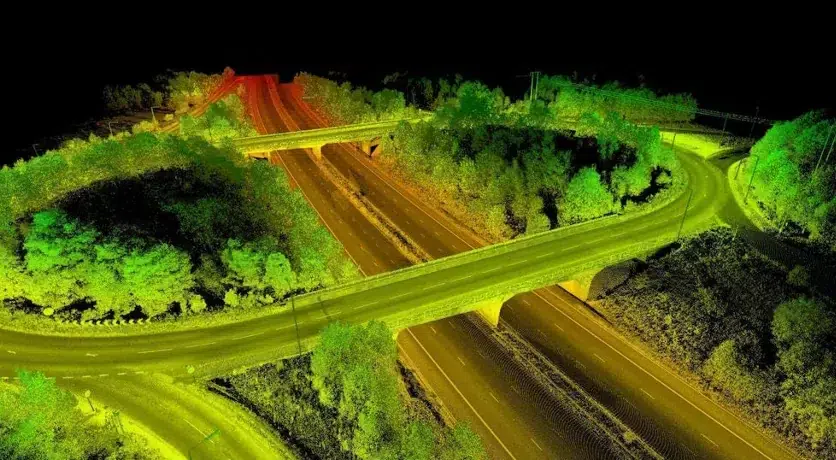
Built-in high-resolution 1-meter elevation data covering the USA, Canada, Europe, and beyond. Work immediately with accurate terrain data without the need to source, purchase, or import external elevation files.
Included Land Use Coverage
Comprehensive land use coverage for the USA, Canada, Europe, Australia, and many other regions worldwide, including detailed land use classifications delivered seamlessly through cloud data services.
Included Imperviousness Coverage
Comprehensive percent imperviousness coverage for the entire USA—available on-demand through cloud data services for instant integration into your stormwater analysis and design.
Automated RC & CN Calculations
Calculate composite runoff coefficients, SCS curve numbers, Green-Ampt parameters, and percent imperviousness from AI machine learning aerial analysis, GIS land use data, or manual land use delineation.
Additional Features
Critical Storm Analysis
Perform simultaneous critical storm analysis in minutes across multiple storm frequencies and durations. The software automatically evaluates all combinations to identify the critical design storm—eliminating manual iteration and saving hours of analysis time.
XPSWMM Model Support
Import previously developed XPSWMM models directly into GeoSTORM while preserving all model data and parameters. Protect your modeling investment and avoid costly rework—GeoSTORM maintains complete fidelity of pipe networks, catchment areas, runoff coefficients, and design parameters.
FEMA Approved Software
GeoSTORM is FEMA-approved for National Flood Insurance Program (NFIP) stormwater and flood studies, ensuring regulatory compliance and acceptance by federal agencies, municipalities, and reviewing authorities nationwide.
Work Directly on the Map
Overlay Google Maps and high-resolution aerial imagery directly into GeoSTORM projects. Visualize stormwater infrastructure in real-world context, validate designs against actual site conditions, and produce compelling project deliverables.
Unlimited Undo and Redo
Easily correct mistakes and explore design alternatives with full unlimited Undo and Redo capability. Make changes confidently knowing you can instantly reverse any edit, from simple node adjustments to complex network modifications.
2D & 3D Viewing and Editing
View your stormwater model in both 2D plan view and immersive 3D to gain complete project understanding. Switch seamlessly between 2D plan view for precise design work and 3D visualization for verifying elevations, identifying conflicts, and communicating designs to stakeholders.
Digital Twin Stormwater Model
Build Digital Twin workflows connecting design, engineering, and operations teams. Create a synchronized virtual model that evolves from design, construction, to maintenance—reducing errors and miscommunication across all teams.
Expert Technical Support
Extend your engineering team with unlimited 24/7 toll-free support from experienced water resource engineers—not just software technicians. Get expert guidance on complex hydraulic problems, modeling challenges, and design questions whenever you need it, at no additional cost.
Free Training & Engineering Assistance
Receive complimentary training tailored to your projects along with expert guidance from water resource engineers who support you from initial setup through project completion. Ensure your team is productive quickly and equipped with best practices for successful, efficient project execution.
AI-Powered Engineering Assistance
Leverage AI-powered engineering assistance for real-time support with project review, simulation troubleshooting, and modeling questions. Get instant solutions to technical challenges and guidance based on engineering best practices—helping you work faster and more confidently.
What-If Scenario Manager Analysis
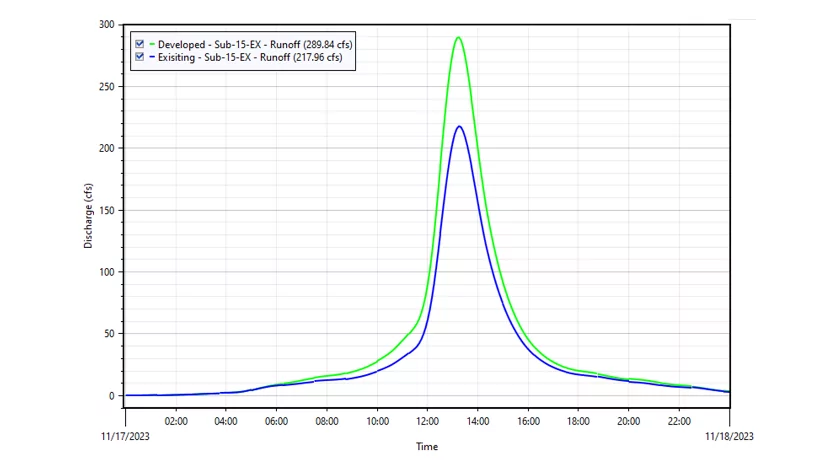
Compare multiple scenarios side-by-side, including existing versus proposed conditions and design alternatives. Evaluate different detention sizing options, pipe routing schemes, or LID strategies to quickly identify the most cost-effective and compliant solution for your project.
Powerful 64-bit, Multi-Core Support
Handle larger, more demanding projects efficiently with powerful 64-bit, multi-core, parallel processing capabilities. Process extensive stormwater networks, perform complex hydraulic calculations, and run critical storm analyses significantly faster.
What makes GeoSTORM different?
| Capability | GeoSTORM | HydroCAD | Bentley StormCAD |
Autodesk InfoWorks ICM |
Autodesk InfoDrainage | PCSWMM | ||
|---|---|---|---|---|---|---|---|---|
| AutoCAD, MicroStation & ESRI ArcGIS Compatible Interface | Limited | Limited | ||||||
| Civil 3D Drawings, Terrains, Pipe Networks Integration | ||||||||
| Automated Time of Concentration Calculations | ||||||||
| Automated RC, CN & Green Ampt Calculations | ||||||||
| Automated Watershed & Catch Basin Delineation | ||||||||
| Stormwater Parts Catalog | ||||||||
| Import Survey, LiDAR, and Other Data Support | Limited | Limited | Limited | |||||
| Automated Underground Storage Chamber Designer | Limited | Limited | Limited | |||||
| Worldwide High-Resolution Elevation Data | ||||||||
| Digital Terrain Modeling and Modification | ||||||||
| Automated Design Storm Assignment | ||||||||
| Automated Sequential Naming | ||||||||
| 24×7 Toll Free Technical Support | ||||||||
| Free Engineering Project Assistance |
Client Videos
Jones and Associates Consulting Engineers
Previously, using other software, it took me about 48 hours to complete a project. Using GeoSTORM, I was able to complete it in about 10. GeoSTORM is very efficient.
Jones & Associates Consulting Engineers
Previously, using other software, it took me about 48 hours to complete a project. Using GeoSTORM, I was able to complete it in about 10 hours. GeoSTORM is very efficient.
Other Client Videos
Watch video testimonials to hear stories from other clients.
Client Testimonials
Case Studies
Other Case Studies
Jones & Associates Consulting
Tyson Roper of Jones & Associates Consulting Engineers in South Ogden, Utah, is highly knowledgeable about water engineering and its many complex….
Aquafor Beech Ltd.
The compatibility of GeoHECRAS with GIS and other applications like PCSWMM makes the pre- and post-processing aspects….
Stormwater Management Consulting
The use of GeoHECRAS for floodplain delineation has resulted in significant time and cost savings as well. Skupien notes that….
Most Popular
For Individuals and Small Teams
For Medium Sized Teams
For most common urban stormwater modeling analysis and design conditions.
Includes all capabilities contained in the Starter Plan.
Most Popular
For Large Teams
For complex 1D and 2D urban and rural stormwater models, and much more.
Includes all capabilities contained in the Starter Plan and Standard Plan.
GeoSTORM Plans Comparison
GeoSTORM is available in different sizes and options to be able to tackle simple to complex urban stormwater systems.
General Features | Starter | Standard | Professional |
| Unlimited Undo & Redo Easily correct mistakes with unlimited Undo and Redo capability. | |||
| 2D & 3D Viewing and Editing Shift seamlessly between 2D and 3D viewing perspectives to identify modeling issues and make required changes. | |||
| Work Simultaneously on Multiple Projects Work with multiple projects simultaneously including copying and pasting data between projects. | |||
| Automated Report Generation Comprehensive, easy-to-read stormwater project reports generated in Microsoft Word and Excel, customized to meet reviewing agency and project requirements. | |||
| Automated Engineering Workflows Numerous workflow automation tools offer more efficient ways to create and maintain engineering models. | Limited | ||
| 24×7 Expert Technical Support Toll-free 24-hour 7-day a week unlimited technical support by experienced engineers. They are just a phone call, Zoom, or MS Teams meeting away, ready to answer your modeling questions and assist you with your engineering projects. | |||
| Built-In Modeling Assistant Intelligent AI-powered modeling assistance is provided to assist with modeling questions and project troubleshooting. | |||
| Integrated Cloud-Based Mapping Services Provided underlying soil and land use cover data can be used to compute and assign Manning’s overland roughness, curve numbers (CN), runoff coefficients (RC) and more. | |||
| Worldwide 3D Elevation Data Make use of integrated high-resolution 1-meter digital elevation terrain data for USA, Canada, Europe, and other regions. | |||
| AutoCAD & MicroStation Drawing Support Integrate AutoCAD and Bentley MicroStation drawing files directly into your project. | |||
| Google Earth Support Export completed stormwater model input data and output results directly to Google Earth. | |||
| Link Elements Total number of pipes, routing reaches and roadway gutters supported. | Up to 20 | Up to 100 | Unlimited |
Modeling Capabilities | Starter | Standard | Professional |
| What-If Scenario Manager Analysis Compare different engineering simulations, such as existing and proposed conditions, allowing quick evaluation of design alternatives. | |||
| Rational & Modified Rational Method Utilize Rational Method and Modified Rational Method for stormwater runoff computations. | |||
| SCS TR-20/TR-55 Utilize SCS TR-20 and TR-55 for stormwater runoff computations. | |||
| Catch Basin Modeling Included catch basin catalog which includes Neenah, East Jordan, OldCastle, Olympic and other foundries, as well as state DOTs, city and county catch basins allows quick sizing and designing of roadway stormwater inlets. | |||
| Denver CUHP Complete workflow automation support for the Denver region Colorado Urban Hydrograph Procedure (CUHP) stormwater runoff and routing computations. | |||
| Santa Barbara Unit Hydrograph Method Utilize Santa Barbara Unit Hydrograph (SBUH) for stormwater runoff computations. | |||
| Irregular Cross Section Geometry Extract routing reach cross section geometry from 3D digital elevation terrain data. | |||
| FEMA Approved NFIP Stormwater Modeling FEMA approved for NFIP stormwater and flood projects. | |||
| EPA SWMM Hydrology Complete support for EPA SWMM is provided. | |||
| XPSWMM Model Support Import XPSWMM models to support and maintain existing and legacy stormwater projects. | |||
| Legacy Pipe Shapes (non-circular pipes) Support for non-circular pipes, such as arch, pipe arch, egg, basket handle and other pipe shapes. | |||
| Green Infrastructure Support Test out different combinations of green infrastructure elements, like rain gardens, bioswales, infiltration trenches, permeable pavement, and more to determine runoff capture effectiveness. | |||
| Pumping Support for pumping, including control rules for managing pumps. | |||
| Automated Critical Storm Computation Perform simultaneous critical storm analysis in just minutes, examining different storm frequencies and durations. |
Advanced Features | Starter | Standard | Professional |
| Automated Design Storm Assignment Automatically determine 1, 2, 5, 10, 25, 50, 100, and 500-year precipitation and storm distributions based upon project location. | |||
| Automated TOC Computations Automatically calculate subbasin TOC (Time of Concentration) using a variety of methods and computed terrain surface flow paths. | |||
| Automated RC, CN & Green Ampt Calculations Compare different engineering simulations, such as existing and proposed conditions, allowing quick evaluation of design alternatives. | |||
| Automated Subbasin & Catch Basin Delineation Quickly delineate watersheds, subbasins, and catch basin capture areas from 3D digital elevation terrain data, including AutoCAD Civil 3D surfaces, MicroStation surfaces, LIDAR, TINs, DEMs, survey data, and more. | |||
| AutoCAD Civil 3D Model Support Seamlessly import and export stormwater pipe network models from and to AutoCAD Civil 3D. | |||
| ArcGIS Support Seamlessly import and export stormwater models from and to ArcGIS. | |||
| Terrain Modeling Quickly create digital representations of existing and proposed ground topography using the included terrain modeling tools. | Limited | ||
| Underground Storage Chamber Design Tool Select elements from major storage chamber manufacturers, interactively size and design underground storage chambers and generate construction documentation and engineering reports. | |||
| Detention Pond Designer Quickly size and design detention ponds, retention ponds, underground storage chambers, and corresponding outlet structures for different design storms and engineering criteria. | |||
| FEMA Flood Mapping Data Provided high-resolution FEMA mapping data can be included directly in the project. |